
Wordpress.com Versus Wordpress.org for Website Design
Despite sharing similar names, WordPress.com and WordPress.org sites differ in extremely important ways when it comes to designing and managing your website.
First, “WordPress” is a content management system (CMS), a type of software that helps individuals and businesses build and maintain websites without having to code everything from scratch. As of 2025, it’s the most popular CMS worldwide, powering 43% of all websites.
Both WordPress.com and WordPress.org use the same open-source, “WordPress” CMS software. The main difference is how you or your business hosts the site: “.com” includes site hosting, where your site files are stored and served online, whereas “.org” requires you to use a third-party hosting provider. The main advantage of a .com site is its ease of use, while a .org site gives you or your business complete ownership.
Let’s take a closer look.
| .Com | .Org | |
| Hosting | Maintained by WordPress | Not offered; separate hosting provider required |
| Plugins | Supports custom plugins and offers plugin management | Supports custom plugins; plugin management not offered |
| Themes | Easy-to-use, pre-made themes | Supports custom themes |
| Cost | Starts at $96 per year | Varies based on hosting provider; the initial cost of WordPress is free |
| Security | Built-in security | Varies based on chosen hosting provider |
| Support | Included with paid plans | Varies based on chosen hosting provider |
Hosting
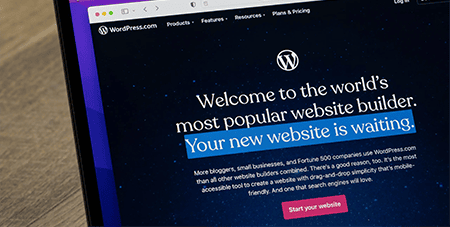
A Wordpress.com site is a full-service website hosting service with a built-in content management system, while a Wordpress.org site runs the WordPress CMS on another hosting platform, such as Cloudflare. WordPress hosting and CMS are decoupled services, but the company that owns WordPress offers both.
For people to access a website on the Internet, that website needs to be running on a computer or server that stores and runs the program that generates and operates the site. The server power and bandwidth the site requires to run quickly depend heavily on how many people use it simultaneously. The hosting services maintain and operate the servers that run your website.
When you go with a .com site, the same people who build and maintain the WordPress CMS also handle your site’s hosting service. When you go with a .org site, you’re using a different company to host your site, and you’re installing the WordPress CMS on the host’s servers. WordPress.com hosting is tailored towards personal, small-to-medium business and content publishing websites. WordPress.org hosting is suited for large businesses and enterprise websites.
Plugins & Other Features
WordPress plugins are small pieces of software you can add to improve the functionality of your WordPress site, such as implementing a ticketing system or a customized content editing suite. Additionally, programmers can unlock endless feature possibilities in WordPress by building their own plugins.
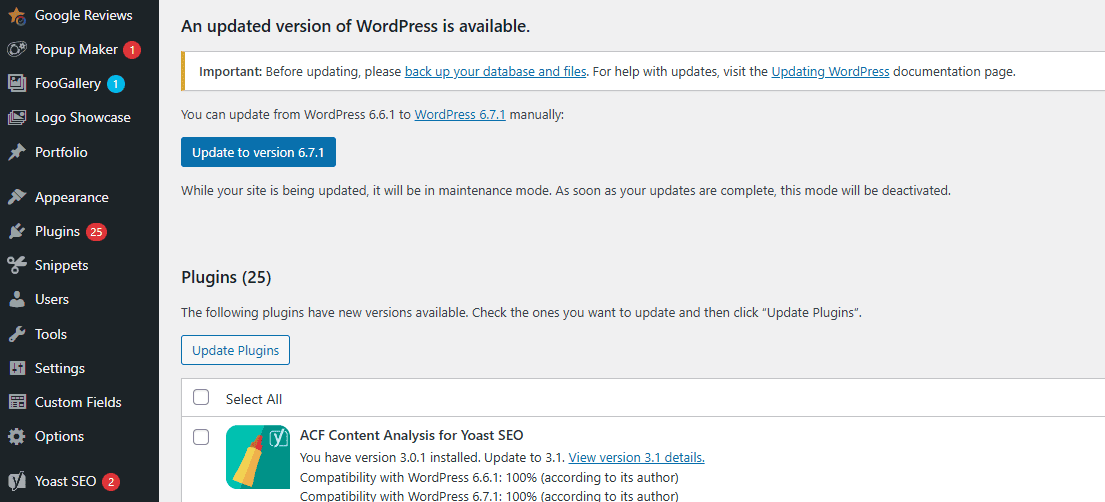
However, plugin features come with increased responsibilities, which vary in extremely important ways between .com and .org sites. If your site is hosted on a paid WordPress.com plan, WordPress manages and updates the plugin library itself and includes several exclusive, built-in features that WordPress.org sites have to add through custom plugins. The .com site service also proactively blocks plugins with potential security risks.
If you host your site on Wordpress.org, you can still install custom plugins, but you’re responsible for security and risk compromising your site if you’re not diligent.
Design Ease & Themes
WordPress CMS uses the term “themes” to refer to code packages that control a website’s visual design and layout. While most site designs are built specifically for their unique infrastructure or require a significant development investment to run on a website, WordPress themes are portable and easily installed across different sites. Regardless of whether you choose .com or .org, both offer an impressively wide range of themes.
Wordpress.com is ideal for beginners due to its ease of use and minimal coding requirements, but it can feel restrictive for power users. Wordpress.org, while requiring significant technical expertise and ongoing updates for custom themes, provides complete design control. Bespoke themes require regular updates to ensure plugin compatibility and security.
Cost

Between hosting and design, the cost of a website varies widely based on its scope and needs.
If you choose a .com site through WordPress, the annual discounted price for hosting can run from $48 for a small personal site to more than $25,000 for enterprise-level plans. As of April 2026, a .com premium site, a WP business site, and a WooCommerce site cost $96, $300, and $540, respectively, with an annual plan. The hosting costs for .org sites depend on their platform, ranging from $2 to $500 per month, with annual subscription discounts.
It’s important to note that hosting costs do not cover design and implementation expenses. Design costs also vary based on the site’s scope.
Security
While security is an essential component of every website on the Internet, the necessary security level varies widely between a site that hosts a personal blog and an e-commerce storefront. While any data breach is cause for alarm, the ramifications of a personal blog being vandalized are far less severe than having your customers’ personal information stolen.
Wordpress.com’s hosting and CMS include robust built-in security to protect your site from hackers, malware, and other threats, as well as updates, backups, and domain SSL management. On Wordpress.org, you and your hosting provider are responsible for all security measures. Securing a website is an ongoing responsibility: themes, plugins, and hosting services require attention throughout updates and evolving risks.
Support
Customer support works quite differently between .com and .org WordPress sites. However, both offer robust collections of support guides and free online courses. WordPress is open source software, meaning anyone can access and modify the programming that runs WordPress for their .org site if they want to. Community support forums are a key component of most large-scale open source projects. In the case of WordPress, both .com and .org customers can access them, which are run by Wordpress.com staff and community volunteers.
The shared resources are an invaluable tool for .com and .org users alike, but when those resources aren’t enough, the differences between the two are stark.
Only paid Wordpress.com users can get customer and technical support from WordPress directly. Wordpress.org customers get whatever support is included with their hosting service. The hosting service may or may not provide for WordPress configuration and operation, so .org users are a bit more on their own when it comes to support. From an operational standpoint, in daily use, support differences really exemplify how .com is targeted at smaller operations without dedicated web development staff, and .org is targeted at large businesses and enterprise customers with professional developers on payroll.
Build a Site (Without the Stress)
Finding the right platform to build your website is only the first step. The next step is figuring out who is going to do the designing and developing.
If you’ve never designed or developed a website before, our advice is: don’t. The “how hard can it be?” mindset is an easy recipe for disaster.
Instead of wasting months and months of your precious time, partner with experienced professionals instead. Founded over 15 years ago, Momentum builds responsive WordPress sites. We offer multiple custom design plans, ranging from “Base,” with 2 unique layouts and up to 5 pages, to “Advanced,” which includes 6 design mockups, 12 unique layouts, and up to 45 pages. Whether you’re a small startup or an established business, we’re ready to help you take your business to the next level.
Visit our website to learn more about our work and impact, or contact us today to request a free consultation.
